The best LinkedIn post image size is 1080 pixels wide; LinkedIn accepts any ratio from 3:1 (wide) to 4:5 (portrait), and a 1080 × 1350 portrait image takes up the most space in the feed. Images must be at least 552 × 276 pixels and under 5 MB, and you can add up to 20 in one post. Link previews use 1200 × 627, your profile banner is 1584 × 396, and a company page cover is 1512 × 256.
Below is every size, from LinkedIn's help pages, with notes on what gets cropped. Checked on 10 November 2026.
LinkedIn image sizes at a glance
| Image | Size | Ratio | Notes |
|---|---|---|---|
| Post image | 1080 pixels wide | 3:1 to 4:5 | At least 552 × 276; up to 5 MB |
| Portrait post image | 1080 × 1350 | 4:5 | The tallest LinkedIn shows; fills the most feed space |
| Square post image | 1080 × 1080 | 1:1 | Safe all-rounder |
| Landscape post image | 1200 × 627 | 1.91:1 | Same shape as a link preview |
| Multi-image post | 1080 wide each | Shown up to 4:5 | Up to 20 images, arranged in a grid |
| Link preview (Open Graph) | 1200 × 627 | 1.91:1 | Set on the linked page, up to 5 MB |
| Document post (carousel) | 1080 × 1350 or 1080 × 1080 pages | 4:5 or 1:1 | PDF, PowerPoint or Word, up to 300 pages |
| Profile photo | 400 × 400 | 1:1 | Shown as a circle |
| Profile background (banner) | 1584 × 396 | 4:1 | Under 8 MB |
| Company page logo | 400 × 400 | 1:1 | At least 268 × 268; transparent areas show white |
| Company page cover | 1512 × 256 | About 5.9:1 | PNG or JPEG, up to 3 MB |
| Company page Life tab image | 1128 × 376 | 3:1 | Needs Career Pages |
Sources: LinkedIn Help on images in posts, Page images and shareable websites. For every network's sizes in one place, use our image and video sizes tool.
LinkedIn post image size
LinkedIn recommends images 1080 pixels wide. The height is up to you, within a ratio of 3:1 (very wide) to 4:5 (portrait). Which to pick:
- Portrait, 1080 × 1350 (4:5): the most screen space in the feed, especially on phones. Best for charts, quotes and photos of people.
- Square, 1080 × 1080 (1:1): looks the same everywhere and reuses well on Instagram and other networks.
- Landscape, 1200 × 627 (1.91:1): takes up the least space. Use it for screenshots and wide photos.
Images narrower than 552 × 276 are refused, and files over 5 MB won't upload. JPG or PNG are the safest formats.
Multi-image posts
You can add up to 20 images to one post. LinkedIn arranges them in a grid in the feed (the first few, with a "+" count for the rest) and shows them at up to 4:5. Put your most important image first, keep all images the same ratio, and keep text away from the edges, because grid tiles are cropped.
LinkedIn carousel (document post) size
LinkedIn's native "carousel" today is a document post: you upload a PDF (or PowerPoint or Word file) and readers swipe through its pages. Documents can be up to 300 pages.
- Page size: design each page at 1080 × 1350 (4:5) or 1080 × 1080 (1:1). These aren't LinkedIn requirements, but they fill the feed and stay readable on phones.
- Text size: at least about 40 pixels on a 1080-wide page, or it's unreadable on a phone.
- Export: a PDF with all pages the same size. Keep it to the pages that earn a swipe; 8 to 12 is plenty for most.
- Title: LinkedIn asks for a document title, shown at the top of the carousel.
LinkedIn link preview image size
When you share a link, LinkedIn builds a card from the page's og:image. LinkedIn asks for 1200 × 627 pixels (1.91:1), up to 5 MB. If the image is wrong or missing, the fix is on the web page, not in LinkedIn: see our guide to LinkedIn Post Inspector.
LinkedIn banner size (profile background)
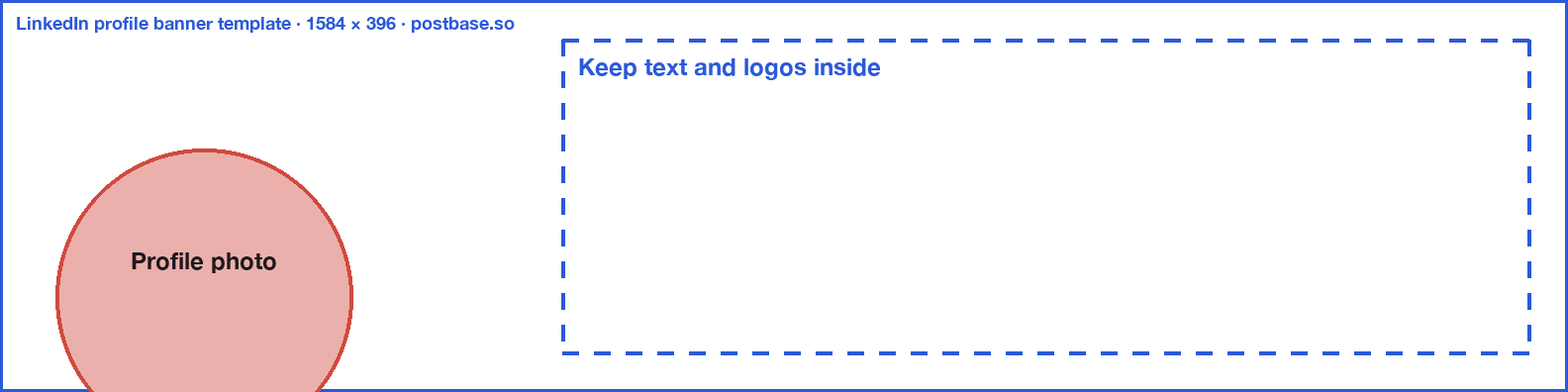
Your profile background is 1584 × 396 pixels (4:1), under 8 MB. The catch is your profile photo, which sits over the lower-left corner, and phones crop the banner further.
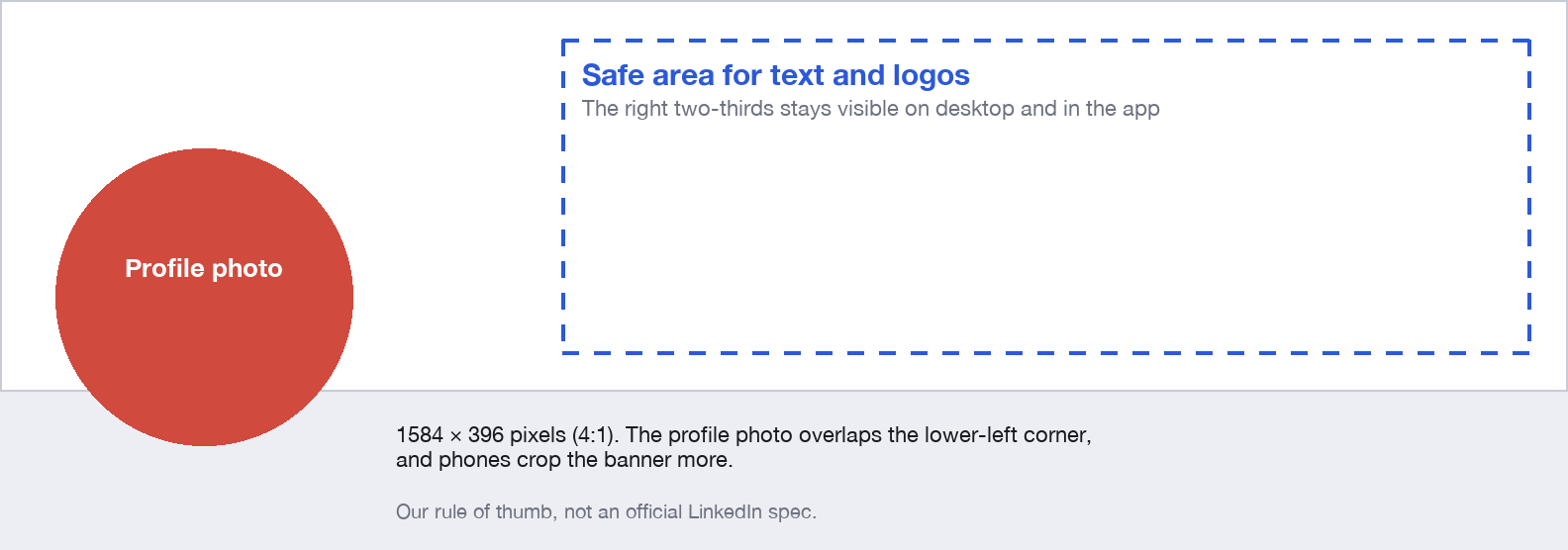
Keep text and logos in the right two-thirds, away from the lower-left. Download our LinkedIn banner template (1584 × 396 PNG), put it on the top layer in your editor, and hide it before you export.
LinkedIn company page image sizes
From LinkedIn's Page help:
- Logo: 400 × 400 recommended, at least 268 × 268. Transparent PNGs are shown on white, so check your logo works on a white background.
- Cover image: 1512 × 256. LinkedIn advises keeping key details away from the edges, especially the lower-right corner, which may be cropped on different screens.
- Life tab main image: 1128 × 376 (needs Career Pages).
- Life tab company photos: 900 × 600 recommended, at least 264 × 176.
- All page images: PNG or JPEG, up to 3 MB. A high-resolution JPEG usually looks sharper than a PNG.
LinkedIn video size
| Spec | |
|---|---|
| Resolution | 256 × 144 to 4096 × 2304 |
| Shape | Vertical 4:5 or square 1:1 take up the most room in the feed |
| Length | 3 seconds to 10 minutes (up to 15 minutes from a computer) |
| File size | Up to 5 GB |
| Format | MP4 |
Posting images to LinkedIn with Postbase
Postbase posts to LinkedIn personal profiles with text and up to 20 images, and can add a first comment after the post goes out. It shows a preview of how the post will look on LinkedIn as you write; you can also check any post with our free post preview tool. It doesn't post video, documents or company page posts to LinkedIn yet.
Frequently asked questions
What is the best image size for a LinkedIn post?
1080 pixels wide. A 1080 × 1350 portrait (4:5) image takes up the most space in the feed; 1080 × 1080 square is a safe all-rounder. LinkedIn accepts any ratio from 3:1 to 4:5.
What is the LinkedIn banner size?
1584 × 396 pixels for a personal profile background, under 8 MB. Company page covers are 1512 × 256 pixels, up to 3 MB.
What size should a LinkedIn carousel be?
Design each page of the PDF at 1080 × 1350 (4:5) or 1080 × 1080 (1:1). Documents can be up to 300 pages, but 8 to 12 pages is usually enough.
What is the LinkedIn profile picture size?
400 × 400 pixels, square. LinkedIn shows it as a circle, so keep your face in the centre.
How many images can I post on LinkedIn?
Up to 20 images in one post. LinkedIn shows the first few in a grid and the rest behind a "+" count.
Why is my LinkedIn image cropped?
It's outside LinkedIn's 3:1 to 4:5 range, it's part of a multi-image grid, or it's a banner hidden behind your profile photo. Use 1080 pixels wide within the ratio range and keep important details away from the edges.
What is the LinkedIn link preview image size?
1200 × 627 pixels (1.91:1), set as the og:image on the page you're linking to, up to 5 MB.
 Postbase