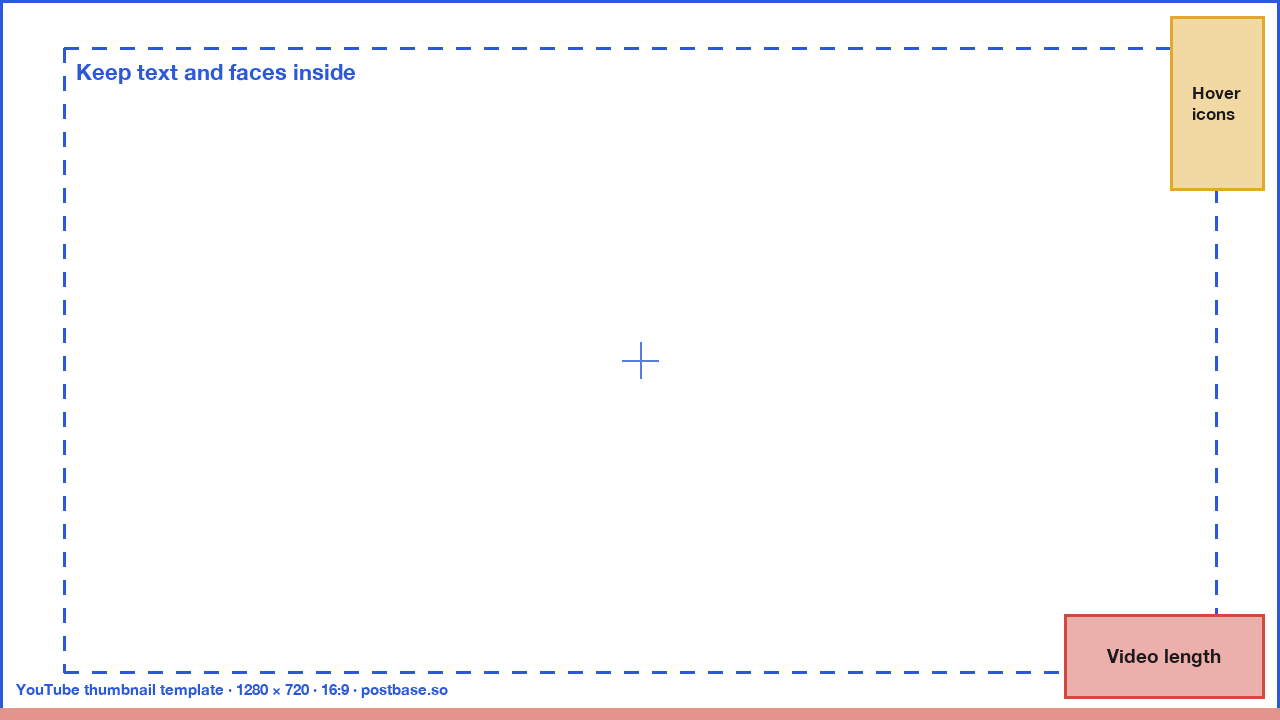
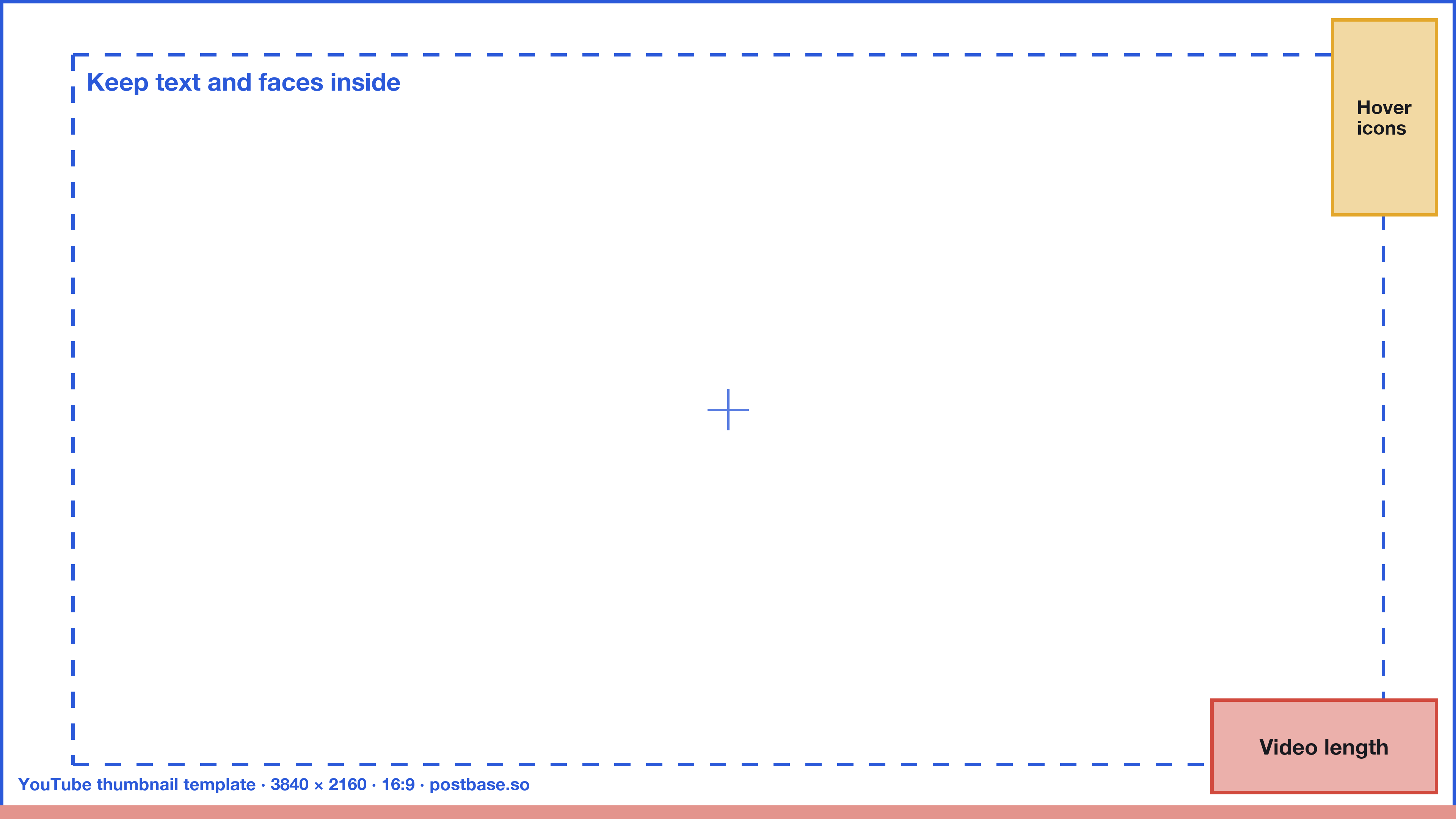
The standard YouTube thumbnail size is 1280 × 720 pixels, a 16:9 ratio, with a minimum width of 640 pixels. Since 2026, YouTube recommends 3840 × 2160 (4K) when you upload from a computer, where thumbnails can be up to 50 MB; from the phone app the limit is still 2 MB. Use JPG or PNG. Shorts thumbnails are vertical: 9:16.
Below are the full specs, the parts of a thumbnail YouTube covers up, a free template with those safe zones marked, and fixes for the problems people run into. Everything was checked against YouTube's help pages on 10 November 2026.
YouTube thumbnail specs at a glance
| Videos | Shorts | |
|---|---|---|
| Recommended size | 3840 × 2160 (4K), or 1280 × 720 | 2160 × 3840, or 1080 × 1920 |
| Minimum | 640 pixels wide | 640 pixels tall |
| Aspect ratio | 16:9 | 9:16 |
| File types | JPG or PNG | JPG or PNG |
| Maximum file size | 50 MB from a computer, 2 MB from the phone app | 50 MB, from a computer only |
| Where to upload | YouTube Studio on a computer, or the YouTube app | YouTube Studio on a computer |
| Who can | Verified channels | Verified channels |
Podcast playlists are the exception: their thumbnails are square (1:1). Source: YouTube Help, Add video thumbnails.
1280 × 720 or 4K: which size should you use?
For years the answer was simple: 1280 × 720, under 2 MB. In October 2025 YouTube announced it would raise the thumbnail limit from 2 MB to 50 MB so it could show 4K thumbnails on TV screens, and its help page now recommends 3840 × 2160.
- Make 3840 × 2160 if you can. It looks sharp on large TVs, where a growing share of YouTube is watched, and YouTube makes the smaller versions for phones and laptops from it.
- 1280 × 720 is still fine. It meets every requirement, and on a phone or laptop nobody can tell the difference.
- Uploading from your phone? The 2 MB limit still applies in the app, so export a 1280 × 720 JPG.
Both are 16:9, so a design made at one size scales cleanly to the other. If you design at 1920 × 1080, that's 16:9 too.
Safe zones: what YouTube covers on your thumbnail
YouTube puts its own interface on top of your thumbnail in most places it appears. Keep your title text and faces away from these areas:
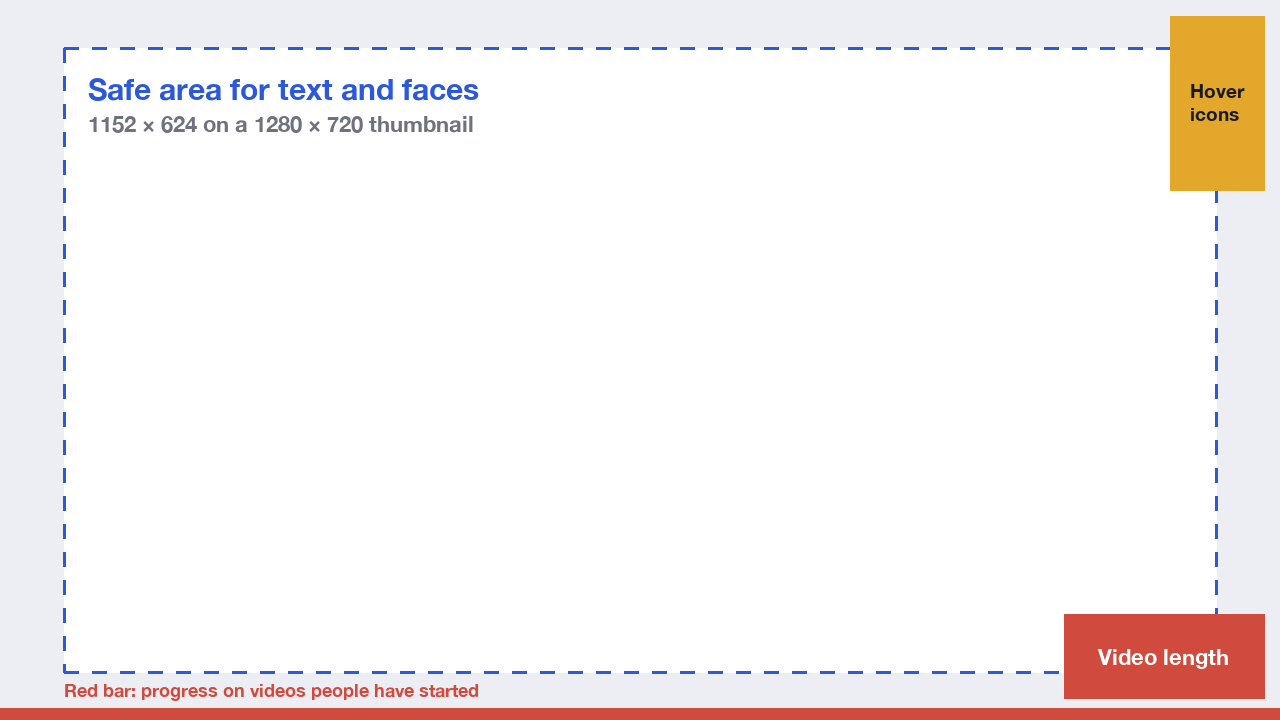
- Bottom-right corner: the video length. Every thumbnail on the home page, in search and in suggestions shows the duration here. It's the most common place for an important word to disappear.
- Top-right edge: hover icons. On a computer, hovering over a thumbnail shows buttons such as Watch later and Add to queue.
- Bottom edge: the progress bar. Viewers who started the video see a red bar along the bottom.
- The edges in general. Thumbnails are shown at many sizes and sometimes with rounded corners, so leave a margin all round.
The safe area in the picture (64 pixels in from the sides, 48 from the top and bottom, on 1280 × 720) is our rule of thumb rather than an official YouTube number, but it keeps text clear of everything YouTube draws on top.
Free YouTube thumbnail template
Download the template, put it on the top layer of your design in Canva, Figma, Photoshop or any editor, and hide it before you export. It's a transparent PNG with the safe area, the video length corner, the hover icons and the progress bar marked.
For every other network's image and video sizes, see our social media image sizes tool.
How to upload a custom YouTube thumbnail
On a computer:
- Open YouTube Studio and go to Content.
- Click the video's title or thumbnail to open its details.
- Under Thumbnail, click Upload file and choose your image.
- Click Save.
On a phone, edit the video in the YouTube or YouTube Studio app and tap the thumbnail to choose a new image. Remember the 2 MB limit there.
You need a verified channel. If the upload option is missing or greyed out, verify your channel with a phone number at youtube.com/verify. Without verification you can only pick one of the three frames YouTube suggests from the video.
YouTube Shorts thumbnails
Shorts thumbnails are vertical, 9:16, with 2160 × 3840 recommended and a minimum height of 640 pixels. You can upload a custom one only from YouTube Studio on a computer, and only on a verified channel. In the app you can pick a frame from the Short instead.
In the Shorts feed people see the video itself, not the thumbnail, so the thumbnail matters most where Shorts appear in a grid: your channel page, search results and the Shorts shelf. Keep the important part in the middle of the frame.
Test up to three thumbnails
YouTube Studio's Test & compare lets you upload up to three thumbnails for one video. YouTube shows them to different viewers and, after the test, picks the one that earned the most watch time, not the most clicks, so a thumbnail that overpromises doesn't win. You set it up under Thumbnail when uploading or editing a video on a computer. See YouTube's Test & compare help page.
Tips for thumbnails people click
- Design for the smallest size. On phones and in the sidebar, thumbnails are shown about the size of a postage stamp. Zoom out to 10% in your editor; if you can't read it, nobody can.
- Three or four words, at most. The title sits right underneath, so the thumbnail text should add to it, not repeat it.
- One clear subject. A face, an object or a before-and-after. Busy thumbnails turn into noise at small sizes.
- High contrast. YouTube's interface is white or near-black depending on the viewer's theme. Check your thumbnail against both.
- Keep a consistent style. Similar colours and layouts across videos make your thumbnails recognisable in a crowded feed.
- Don't mislead. YouTube removes thumbnails that break its Community Guidelines, including misleading or sexualised ones, and they can lead to a strike on your channel.
Common problems and fixes
"File is too big." In the app the limit is 2 MB. Export a JPG at 80 to 90% quality, or upload from YouTube Studio on a computer, where the limit is 50 MB.
The thumbnail looks blurry. Upload a larger image: 1280 × 720 at least, ideally 3840 × 2160. Exporting text-heavy designs as PNG also keeps edges crisp.
There are black bars or the image is cropped. The image isn't 16:9. Resize the canvas to 1280 × 720 or 3840 × 2160 rather than stretching the image.
The upload button is missing. Verify the channel at youtube.com/verify. New verifications can take a short while to apply.
"Daily custom thumbnail limit reached." Channels have a daily limit on thumbnail uploads. Wait 24 hours and try again.
The new thumbnail isn't showing. YouTube can take a while to update thumbnails everywhere, and your browser may be showing a cached copy. Check in a private window.
Set the thumbnail when you schedule the video
If you schedule uploads in advance, set the thumbnail at the same time so the video never goes live with an automatic frame. In Postbase, the YouTube panel in the composer takes the title, a custom thumbnail (up to 2 MB, on a verified channel), visibility and the made-for-kids setting, and the video posts at the time you pick. Here's how to schedule YouTube videos and Shorts step by step.
Available channels
Customize per channel
New on the shelf: Kochere, Ethiopia ☕️ Washed process, light roast. In the cup it's apricot, black tea and a little bergamot. Roasted Monday, shipped Tuesday. 40 bags this week, and they go fast.
Frequently asked questions
What is the best size for a YouTube thumbnail?
1280 × 720 pixels at a 16:9 ratio works everywhere. YouTube now recommends 3840 × 2160 when you upload from a computer, so it looks sharp on TVs. Both are fine; make it 16:9 and at least 640 pixels wide.
What is the YouTube thumbnail size limit in MB?
50 MB when you upload from a computer in YouTube Studio, and 2 MB from the YouTube phone app. Before 2026 the limit was 2 MB everywhere, which is why older guides still say 2 MB.
Is 1920 × 1080 OK for a YouTube thumbnail?
Yes. 1920 × 1080 is 16:9 and well above the 640-pixel minimum, so YouTube accepts it and scales it down for smaller screens.
What is the YouTube Shorts thumbnail size?
9:16, with 2160 × 3840 recommended and a minimum height of 640 pixels. 1080 × 1920 works too. You can upload a custom Shorts thumbnail only from YouTube Studio on a computer.
What file format should a YouTube thumbnail be?
JPG or PNG. PNG keeps text sharp; JPG makes smaller files, which helps when uploading from the app under the 2 MB limit.
Why can't I upload a custom thumbnail on YouTube?
Your channel probably isn't verified. Verify it with a phone number at youtube.com/verify, then the Upload file option appears. You may also have hit the daily thumbnail limit; wait 24 hours.
What is the YouTube thumbnail aspect ratio?
16:9 for videos, 9:16 for Shorts, and 1:1 for podcast playlists.
Where is the safe zone on a YouTube thumbnail?
Keep text and faces away from the bottom-right corner, where YouTube shows the video length, and leave a margin around every edge. Our template marks a safe area 64 pixels in from the sides and 48 from the top and bottom on a 1280 × 720 thumbnail.



 Postbase